
VPN Auto Reconnect
Your VPNs reconnect on their own when your Mac wakes up.
- Mac
- macOS 14+
- English · Français
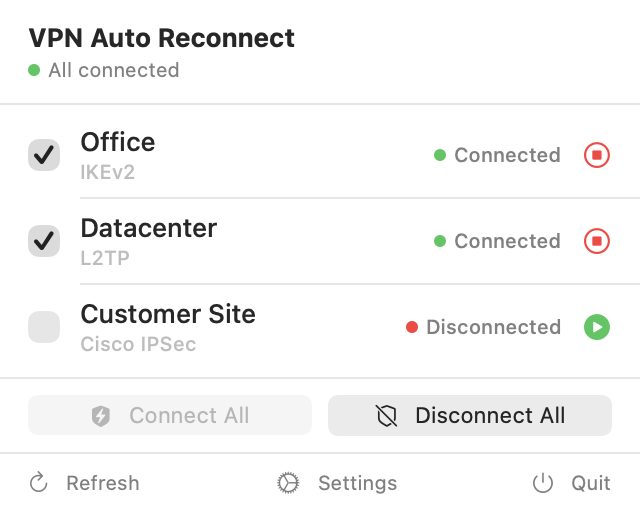
The menu: your VPNs, their state, and one click to connect or disconnect them all. 
The icon: your VPNs' state at a glance. 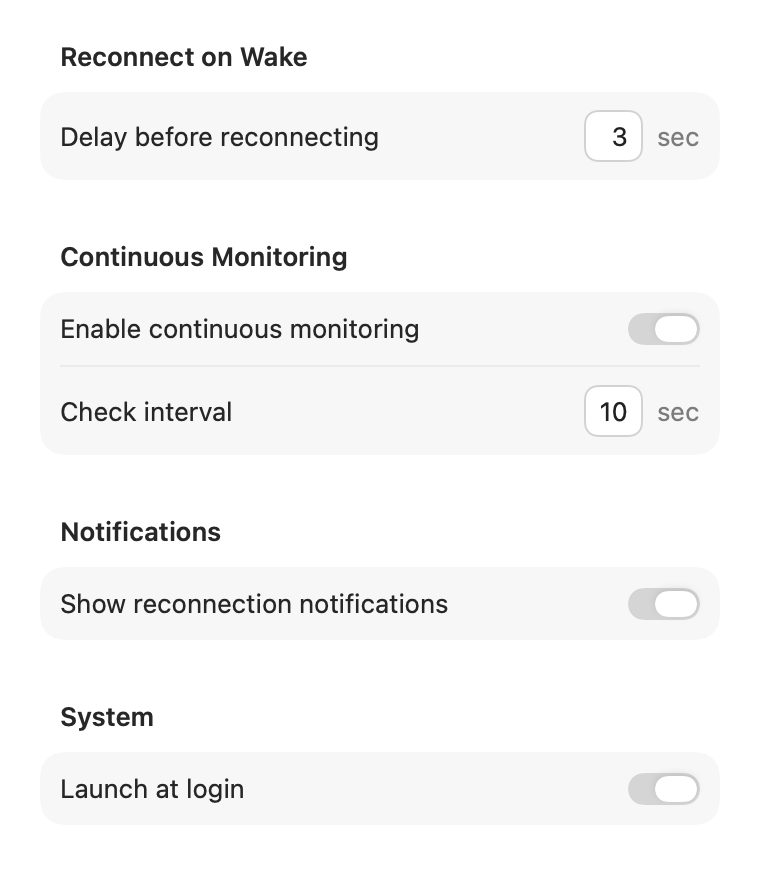
Settings: delay, continuous monitoring, notifications, launch at login.


Overview
A small menu bar app that automatically reconnects the VPNs you choose every time your Mac wakes from sleep.
When your Mac wakes from sleep, VPN Auto Reconnect reconnects the VPNs you've ticked, one after the other, retrying if needed. It works with the VPNs configured in System Settings: IKEv2, L2TP/IPSec and Cisco IPSec.
It lives in the menu bar, with no Dock icon. Its icon changes colour with the state of your VPNs, and there's nothing else to set up besides the list of VPNs to watch.
What it does
- Reconnects after every wake the VPNs you choose, one after the other, with retries.
- macOS VPNs: those configured in System Settings, over IKEv2, L2TP/IPSec or Cisco IPSec.
- An icon that tells you: green when all chosen VPNs are connected, orange when some have dropped, red when all have, gray when none is monitored.
- Continuous monitoring, optional: a VPN that drops while the Mac is awake gets reconnected.
- Connect all or disconnect all from the menu.
- Simple settings: delay before reconnecting, monitoring interval, notifications, launch at login.
- Unobtrusive: no Dock icon, nothing to configure besides ticking your VPNs.
- In English and French, following the system language.
Install
With Homebrew:
brew tap cbrassel/tap
brew trust cbrassel/tap   # Homebrew 7 and later
brew install --cask vpnautoreconnect
Or download VPNAutoReconnect-x.y.zip from the releases page, unzip it and move VPNAutoReconnect into Applications.
The app is signed with a Developer ID and notarized by Apple.
Requirements
- macOS 14 or later.
- At least one VPN configured in System Settings › VPN.
At a glance
- Platform
- Mac (macOS 14 or later)
- App languages
- English, French (follows the system language)
- Version
- 1.2, released 10 November 2026
- Publisher
- Brassel Labs — Claude Brassel EI
- Support
- Report an issue on GitHub
- Distribution
- Developer ID signed and notarized by Apple