
Rosview
Your Linux servers at a glance, from your Mac.
- Mac
- macOS 14+
- English · Français
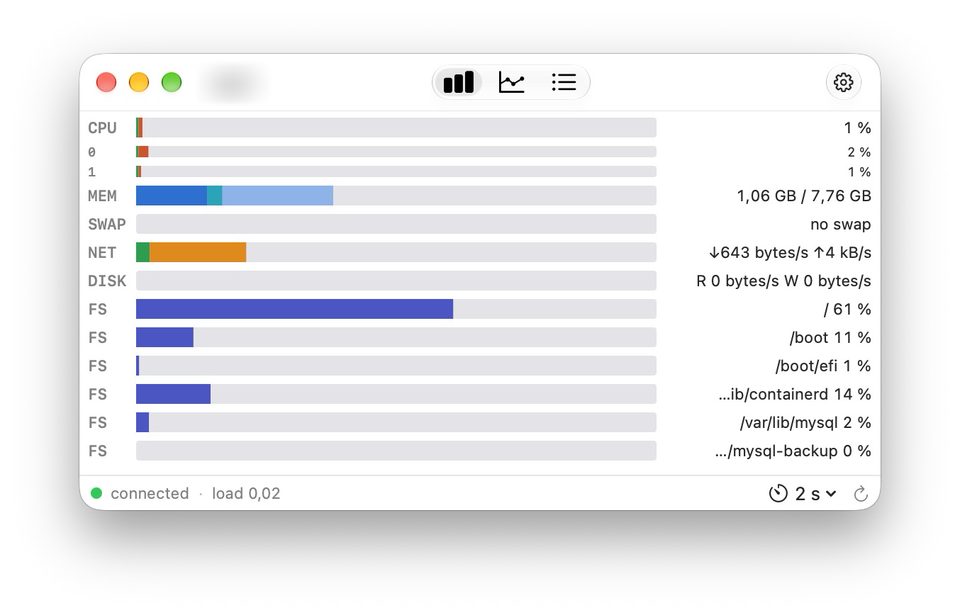
Live: the whole server in a few bars. 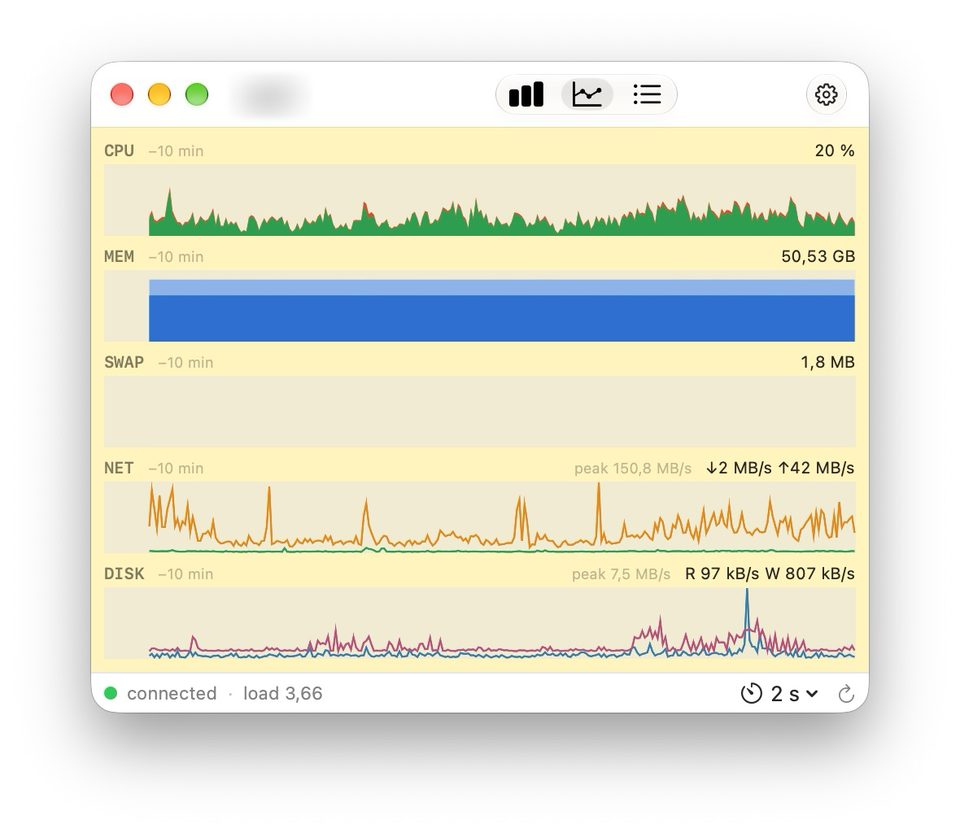
History: 2 to 30 minutes, with network and disk peaks. 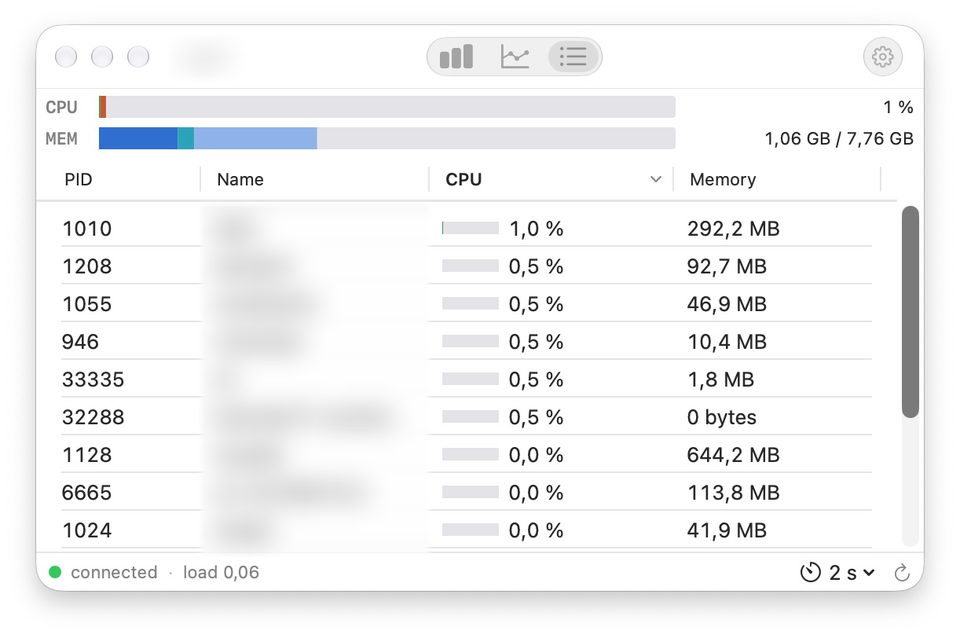
Processes: the 15 busiest, sorted by CPU or memory. 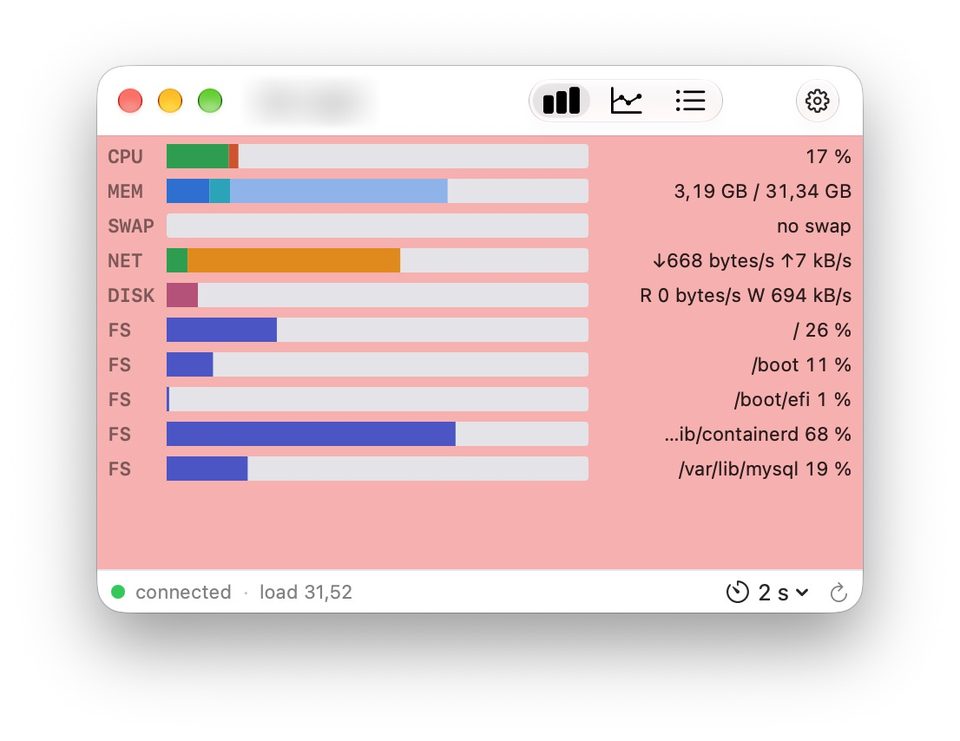
High load: the window turns red when the load reaches the server's threshold. 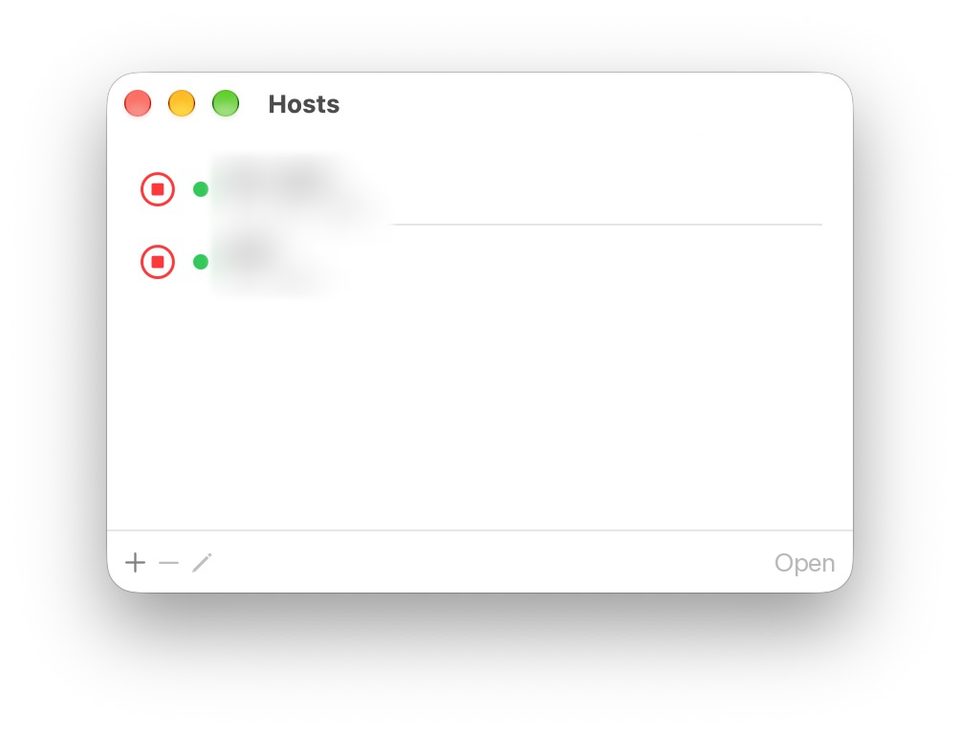
Hosts: a name and an ssh command, nothing more.


Overview
Rosview monitors your Linux servers over SSH, in the spirit of xosview: compact, segmented horizontal bars you can read at a glance.
One window per server, with bars for CPU, memory, swap, network and disks: Rosview shows how a Linux machine is doing without installing anything on it. It goes through your Mac's ssh, your keys and your ssh-agent.
When the load average nears the threshold you set for a server, its window background turns yellow, then red — you spot the struggling machine without even reading the numbers.
What it does
- CPU, memory, swap, network, disks: I/O throughput and how full each file system is.
- Three views: live bars, history graphs over 2 to 30 minutes, and the 15 busiest processes, sorted by CPU or memory.
- Adjustable refresh, from 1 to 60 seconds.
- Visual alert: the window turns yellow, then red, as the load average nears the server's threshold.
- One window per server, and each server is just a name and an ssh command.
- Nothing to install on the server: Rosview uses your Mac's
/usr/bin/ssh, your keys and ssh-agent. No passwords are stored. - In English and French.
Install
With Homebrew:
brew tap cbrassel/tap
brew trust cbrassel/tap   # Homebrew 7 and later
brew install --cask rosview
Or download Rosview-x.y.dmg from the releases page, open it and drag Rosview into Applications.
The app is signed with a Developer ID and notarized by Apple.
Requirements
- macOS 14 or later.
- A Linux server reachable with ssh, using key or ssh-agent authentication.
At a glance
- Platform
- Mac (macOS 14 or later)
- App languages
- English, French
- Version
- 1.0, released 31 October 2026
- Publisher
- Brassel Labs — Claude Brassel EI
- Support
- Report an issue on GitHub
- Distribution
- Developer ID signed and notarized by Apple